Public request links
Clients complete files, links, notes, approvals, and changes from one polished page.
A focused approval and asset-collection workflow for agencies, studios, consultants, and client-facing teams who need a cleaner way to request files, gather feedback, track approvals, and close sign-off.
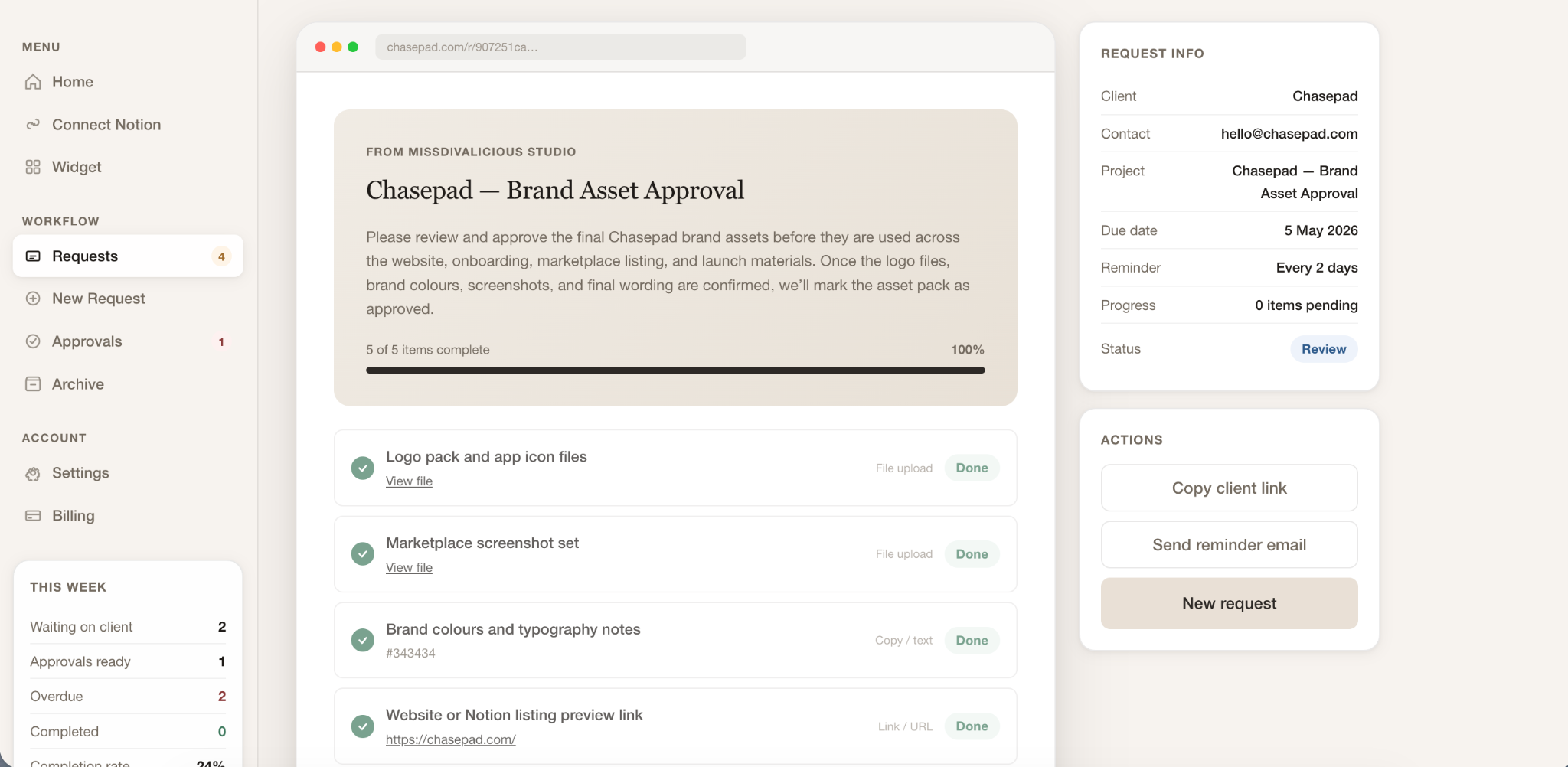
Chasepad turns the most invisible part of client work — waiting for assets, comments, approvals, replacements, and final sign-off — into a structured request workflow.
The product is designed for teams who do not need another bloated agency operating system. They need a focused way to make client requests clearer, track what is still missing, and move work forward with less chasing.
Across client-facing work, the actual task is often ready to move, but the project stalls because someone is still waiting for a file, a link, a comment, a replacement, or a final yes.
The product idea was simple: make the request feel as polished as the work itself. One link. One clear checklist. One calmer way to collect, review, remind, and sign off.
The interface needed to prove that Chasepad is not just a request form. It is a focused workflow system around asking, receiving, reviewing, and closing the loop.
Clients complete files, links, notes, approvals, and changes from one polished page.
Waiting, overdue, ready-to-review, approved, and changes-requested states make progress visible.
A connected status layer helps Notion-based teams track requests where they already work.
Lightweight follow-up support reduces awkward manual chasing when something is missing.
The design direction had to keep Chasepad narrow enough to be instantly understood, but strong enough to feel commercially useful for agencies and client-facing teams.
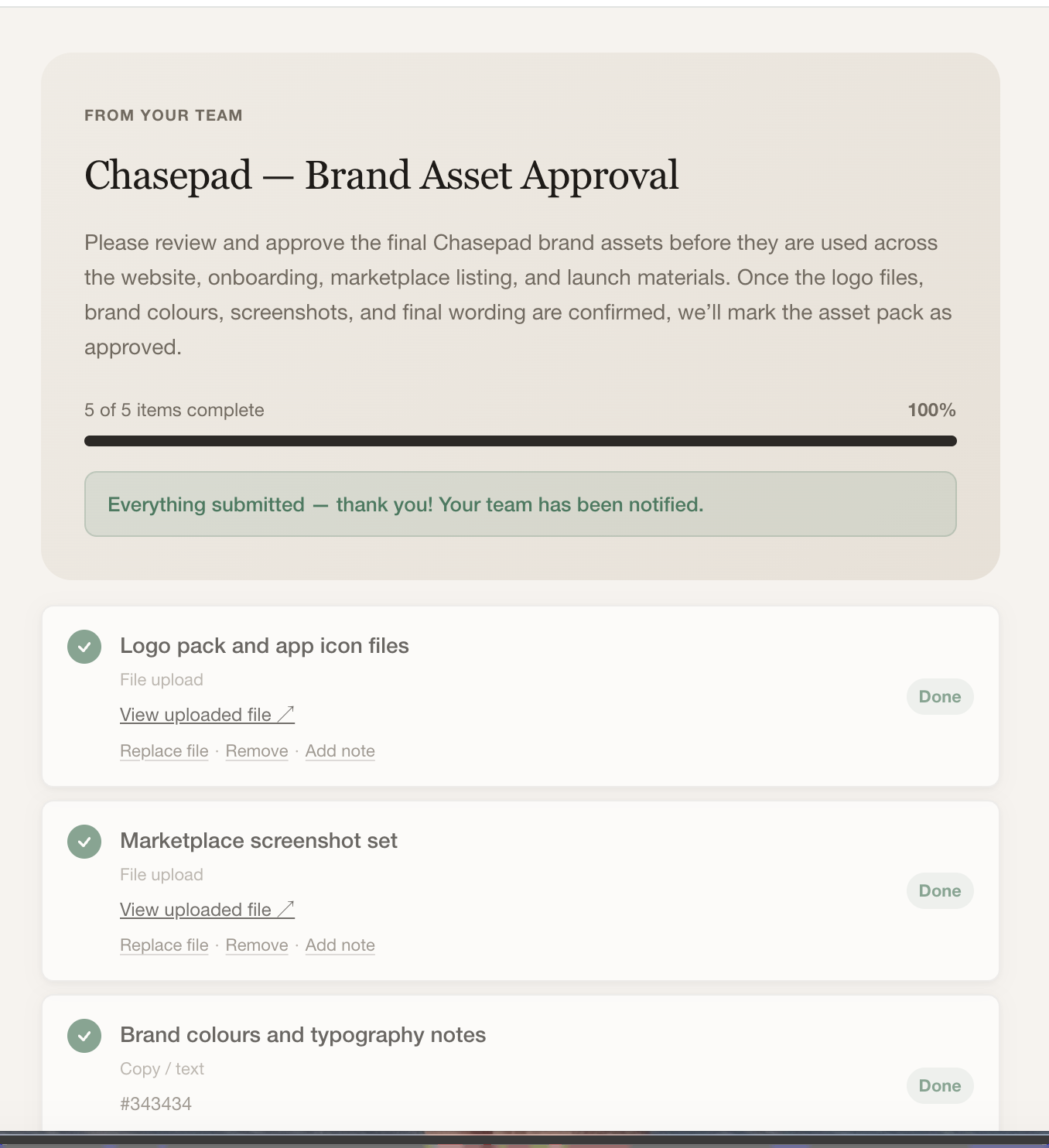
For Chasepad, the real design system is the workflow logic: every screen supports the same product loop — ask clearly, collect cleanly, review quickly, and close the decision.
The team creates a clear page with the exact files, links, copy, approvals, or notes needed.
The client completes everything from one polished link, with no new workspace to learn.
The team sees what arrived, what is missing, and what is ready for review.
Work is approved, sent back for changes, or kept waiting with a clear next action.
The request closes with a cleaner record of what was received, reviewed, and agreed.
Every major decision was designed to protect Chasepad from becoming bloated. The strongest product wedge is the moment where work is waiting on a client response.
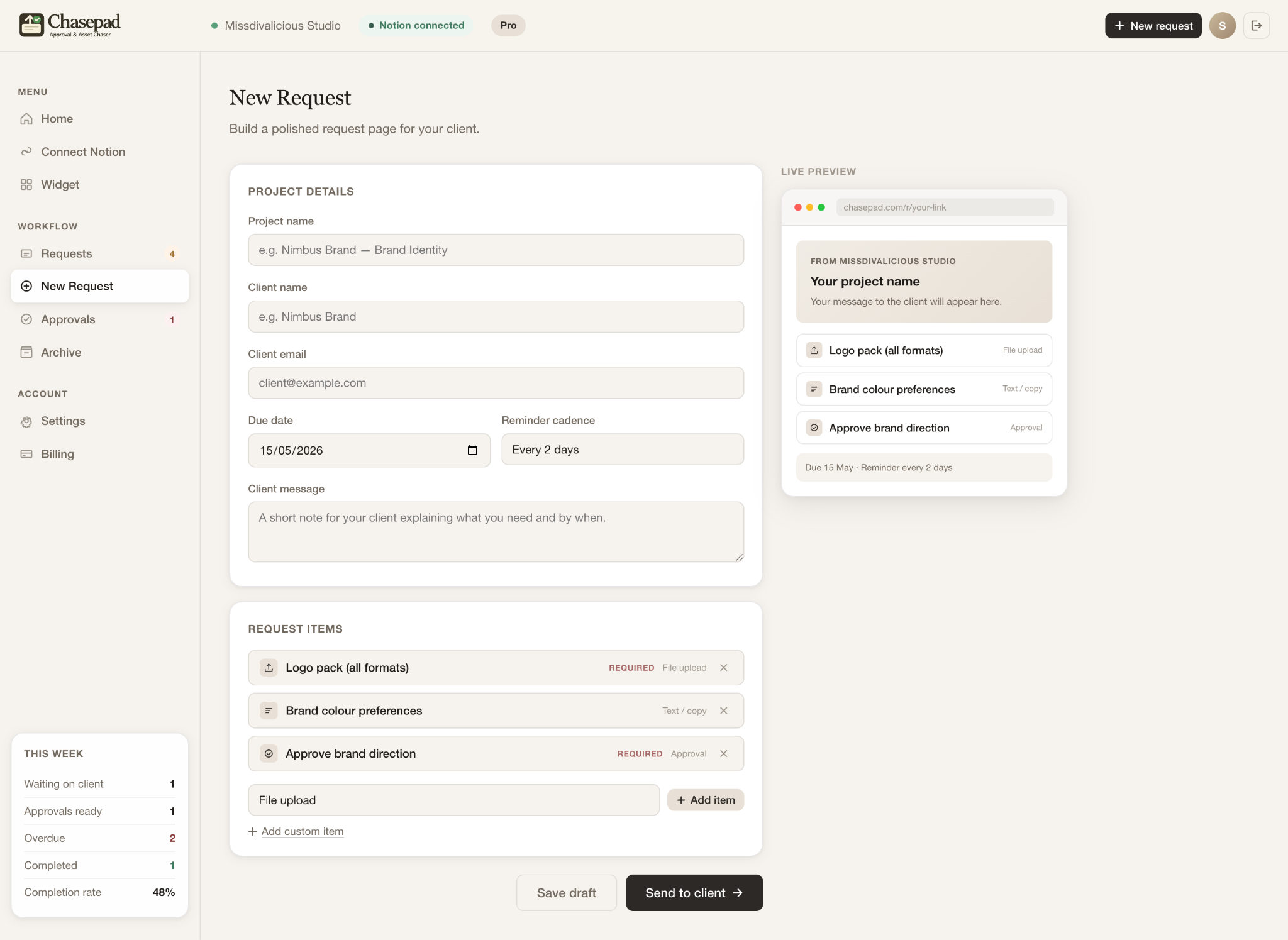
The product direction avoids trying to replace every tool agencies use. Instead, Chasepad gives teams one clear layer for the part that repeatedly causes friction: client requests, feedback, approvals, reminders, and sign-off.
The client side stays lightweight: one link, plain instructions, and a clear route to submit what is needed.
The team side focuses on urgency: what is waiting, overdue, ready to review, approved, or blocked.
The Notion layer supports teams that already plan in Notion, without making Notion a requirement for clients.
Pro and Agency share the same core experience while Agency expands for teams, workspaces, and higher-volume operations.
These interface moments tell the product journey: a team creates a request, a client completes it from one link, and the team reviews progress without digging through scattered channels.
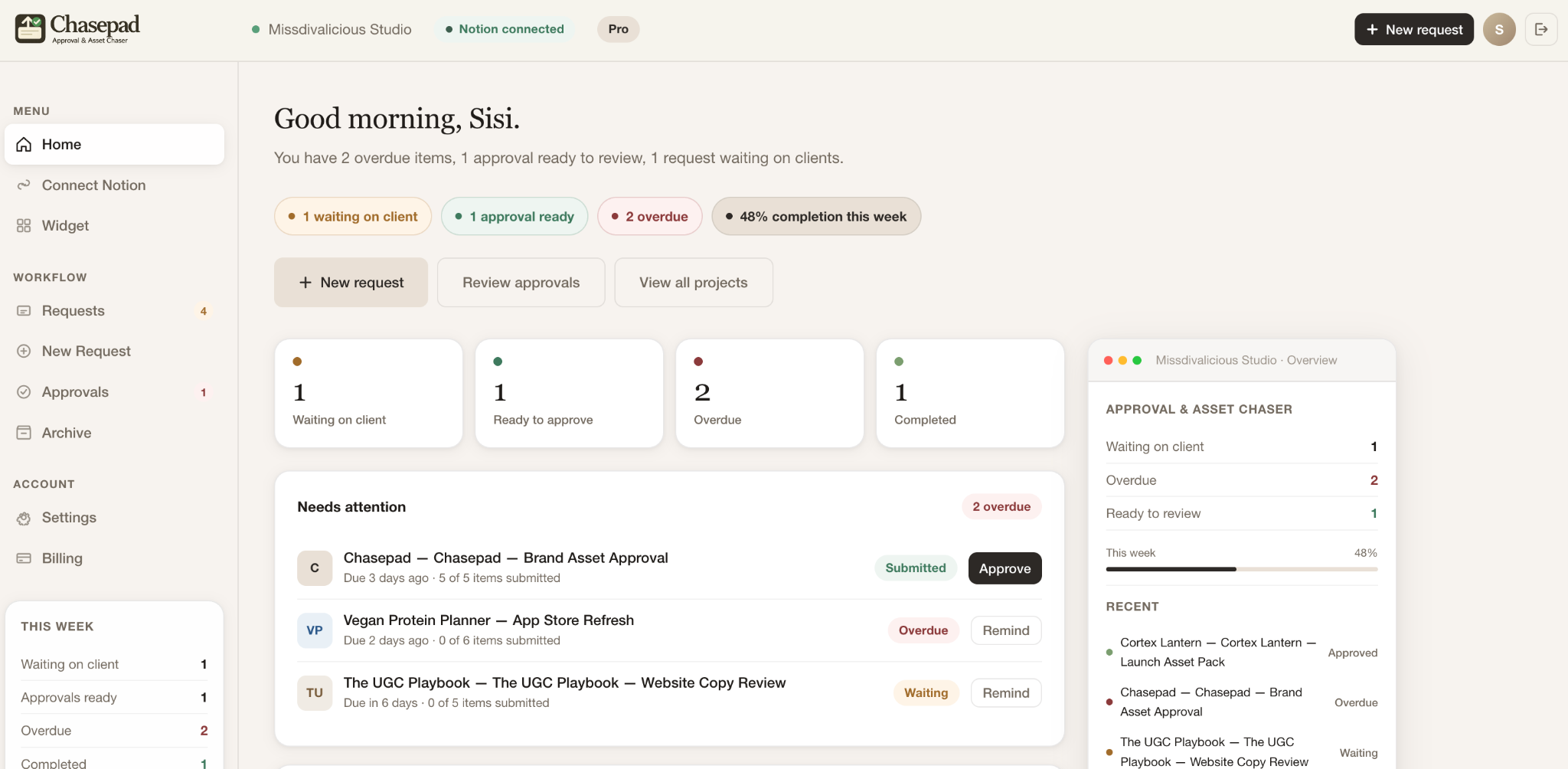
A clear view of what is waiting, overdue, and ready to approve, so teams can act without hunting through threads.
A polished public page where clients complete files, links, notes, approvals, and changes without needing another workspace.
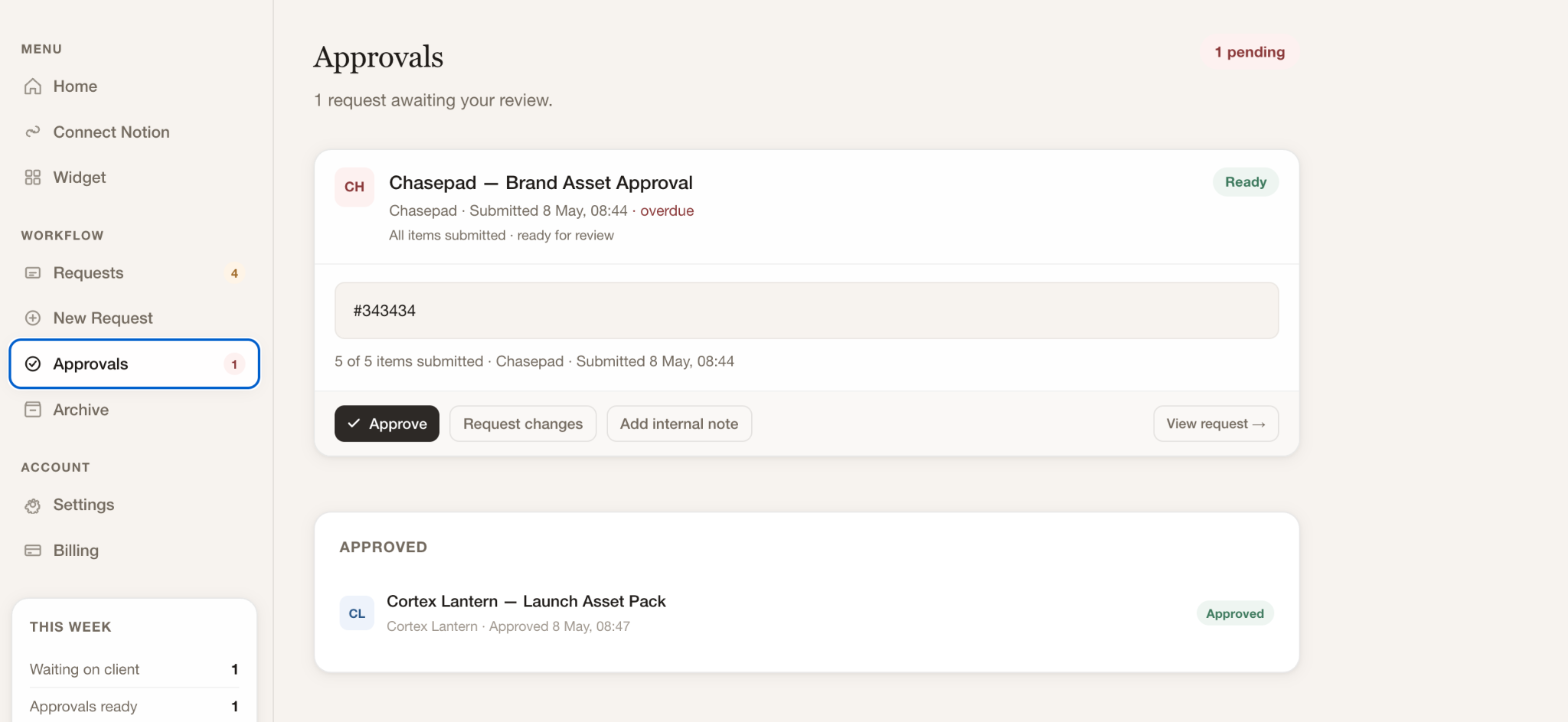
A focused review flow that separates approved work, requested changes, and outstanding decisions.
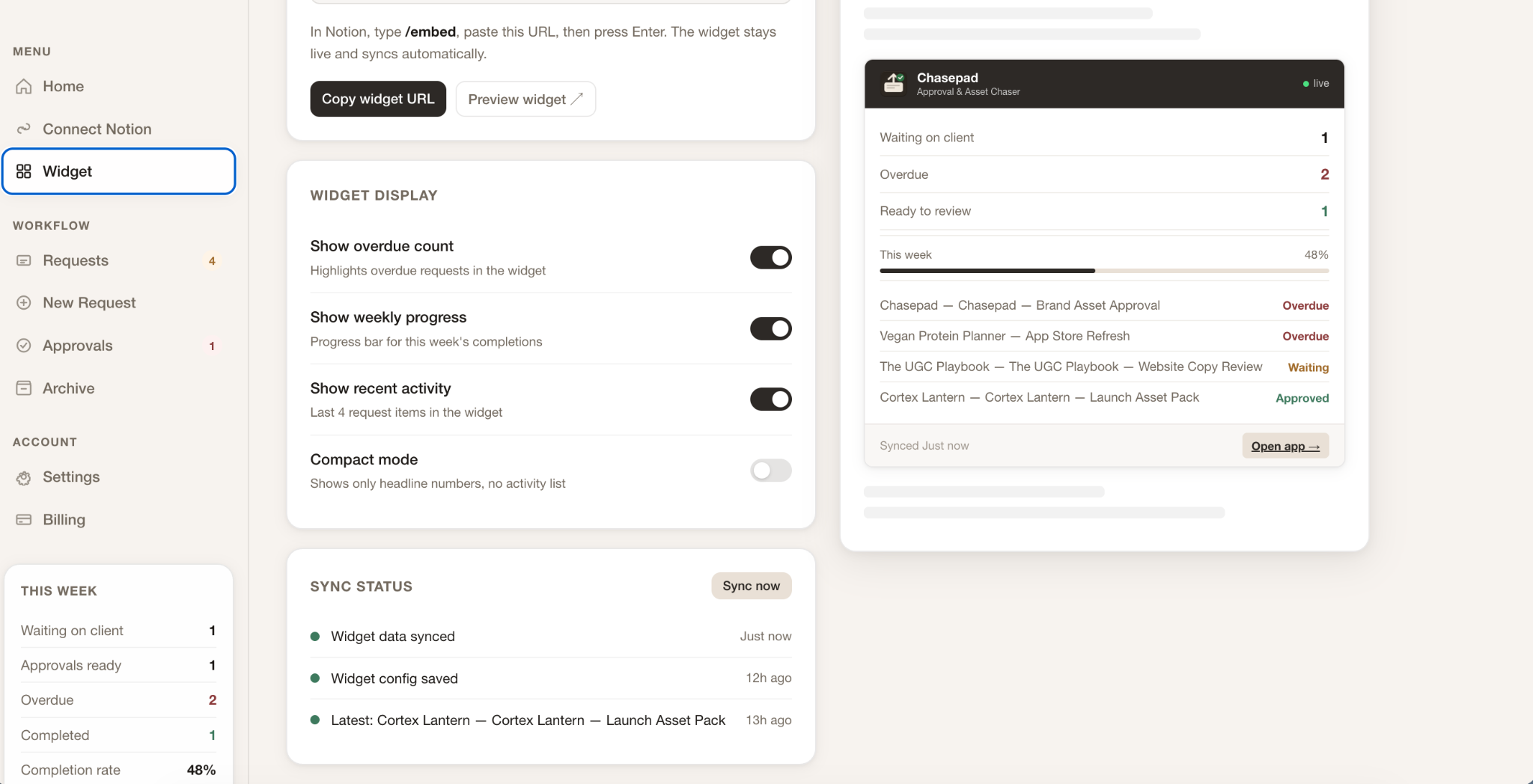
A live request widget that gives Notion-based teams visibility without rebuilding their workflow.
Chasepad is strongest because the problem is easy to recognise and hard to ignore. Client-facing teams already feel the cost of stalled projects, scattered approvals, and awkward reminders; the product gives that bottleneck a clearer name, a calmer workflow, and a sharper commercial promise.
Chasepad reinforced that good product design is often about choosing a painful, repeated moment and making it feel calm enough to trust.
Delays are not just operational. They are an experience. Chasepad gives waiting a status, a place, and a next action.
The client-facing side must feel lighter than the team-facing side. The public link is the product promise.
A narrow workflow can feel more valuable than a large platform when the pain is specific and frequent.